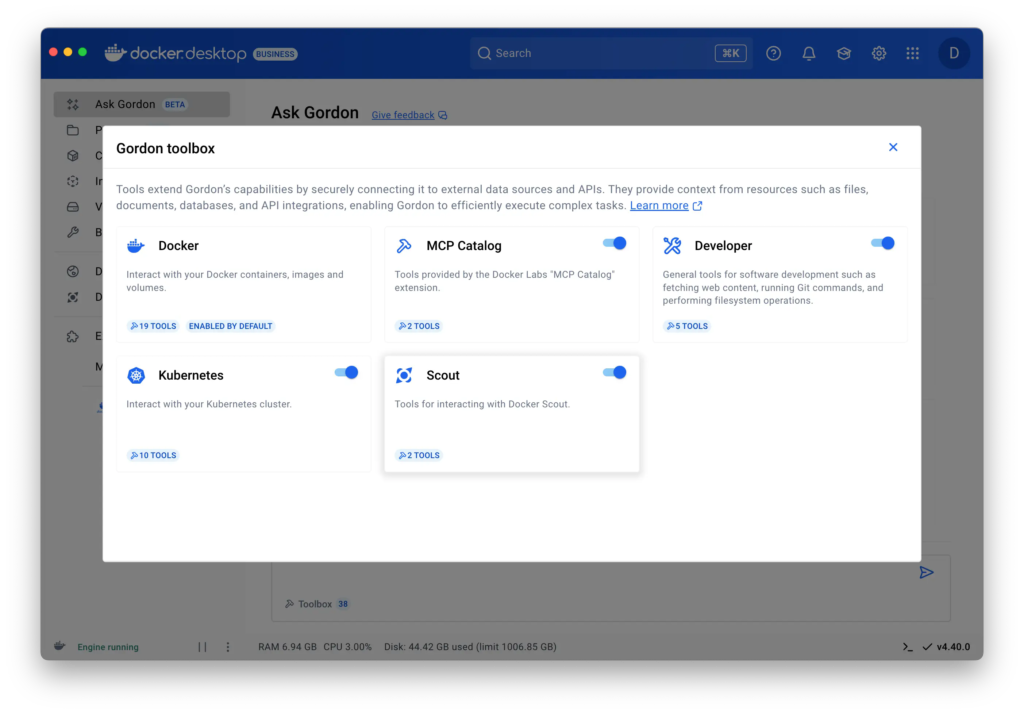
   For more information on the possible tools, see [Reference](#reference).

## Usage examples

This section provides task-oriented examples for common operations with Gordon
tools.

### Managing Docker containers

#### List and monitor containers

```console
# List all running containers
$ docker ai "Show me all running containers"

# List containers using specific resources
$ docker ai "List all containers using more than 1GB of memory"

# View logs from a specific container
$ docker ai "Show me logs from my running api-container from the last hour"
```

#### Manage container lifecycle

```console
# Run a new container
$ docker ai "Run a nginx container with port 80 exposed to localhost"

# Stop a specific container
$ docker ai "Stop my database container"

# Clean up unused containers
$ docker ai "Remove all stopped containers"
```

### Working with Docker images

```console
# List available images
$ docker ai "Show me all my local Docker images"

# Pull a specific image
$ docker ai "Pull the latest Ubuntu image"

# Build an image from a Dockerfile
$ docker ai "Build an image from my current directory and tag it as myapp:latest"

# Clean up unused images
$ docker ai "Remove all my unused images"
```

### Managing Docker volumes

```console
# List volumes
$ docker ai "List all my Docker volumes"

# Create a new volume
$ docker ai "Create a new volume called postgres-data"

# Backup data from a container to a volume
$ docker ai "Create a backup of my postgres container data to a new volume"
```

### Kubernetes operations

```console
# Create a deployment
$ docker ai "Create an nginx deployment and make sure it's exposed locally"

# List resources
$ docker ai "Show me all deployments in the default namespace"

# Get logs
$ docker ai "Show me logs from the auth-service pod"
```

### Security analysis