1st chunk of `content/manuals/security/for-admins/provisioning/just-in-time.md`
ae290803aa9e86cf7223c257b533a57c67d3f21bfab14b86000000010000082d
---
description: Learn how Just-in-Time provisioning works with your SSO connection.
keywords: user provisioning, just-in-time provisioning, JIT, autoprovision, Docker Hub, Docker Admin, admin, security
title: Just-in-Time provisioning
linkTitle: Just-in-Time
---

{{< summary-bar feature_name="SSO" >}}

Just-in-Time (JIT) provisioning automatically creates and updates user accounts after every successful single sign-on (SSO) authentication. JIT verifies that the user signing in belongs to the organization and the teams assigned to them in your identity provider (IdP). When you [create your SSO connection](../single-sign-on/_index.md), JIT provisioning is turned on by default.

## SSO authentication with JIT provisioning enabled

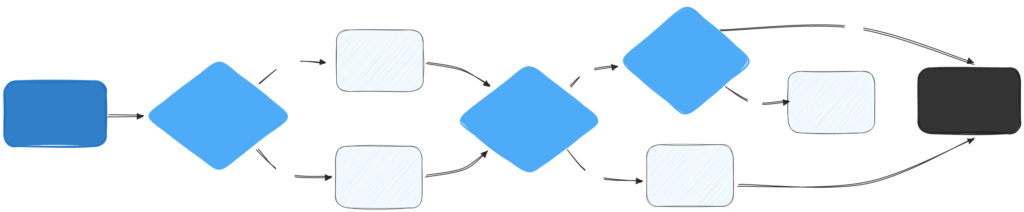
When a user signs in with SSO and your SSO configuration has JIT provisioning enabled, the following steps occur automatically:

1. The system checks if a Docker account exists for the user's email address.

    - If an account exists: The system uses the existing account and updates the user's full name if necessary.
    - If no account exists: A new Docker account is created using basic user attributes (email, name, and surname). A unique username is generated based on the user's email, name, and random numbers to ensure all usernames are unique across the platform.

2. The system checks for any pending invitations to the SSO organization.

    - Invitation found: The invitation is automatically accepted.
    - Invitation includes a specific group: The user is added to that group within the SSO organization.

3. The system verifies if the IdP has shared group mappings during authentication.

    - Group mappings provided: The user is assigned to the relevant organizations and teams.
    - No group mappings provided: The system checks if the user is already part of the organization. If not, the user is added to the default organization and team configured in the SSO connection.

The following graphic provides an overview of SSO authentication with JIT enabled: