5th chunk of `content/manuals/extensions/extensions-sdk/build/frontend-extension-tutorial.md`
35bee6bdddc51f5b24c0f80090e920589c3708ddf1d706780000000100000695
    });
  }, []);

  return (
    <Stack>
      <Typography data-testid="heading" variant="h3" role="title">
        Container list
      </Typography>
      <Typography
      data-testid="subheading"
      variant="body1"
      color="text.secondary"
      sx={{ mt: 2 }}
    >
      Simple list of containers using Docker Extensions SDK.
      </Typography>
      <TableContainer sx={{mt:2}}>
        <Table>
          <TableHead>
            <TableRow>
              <TableCell>Container id</TableCell>
              <TableCell>Image</TableCell>
              <TableCell>Command</TableCell>
              <TableCell>Created</TableCell>
              <TableCell>Status</TableCell>
            </TableRow>
          </TableHead>
          <TableBody>
            {containers.map((container) => (
              <TableRow
                key={container.ID}
                sx={{ '&:last-child td, &:last-child th': { border: 0 } }}
              >
                <TableCell>{container.ID}</TableCell>
                <TableCell>{container.Image}</TableCell>
                <TableCell>{container.Command}</TableCell>
                <TableCell>{container.CreatedAt}</TableCell>
                <TableCell>{container.Status}</TableCell>
              </TableRow>
            ))}
          </TableBody>
        </Table>
      </TableContainer>
    </Stack>
  );
}

```
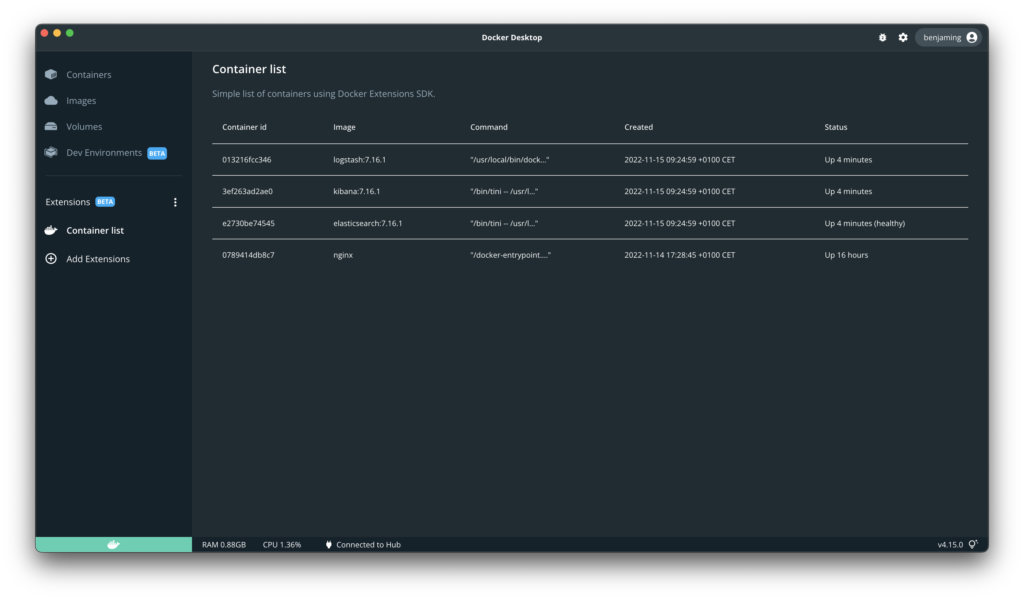
{{< /tab >}}
{{< tab name="Vue" >}}

> [!IMPORTANT]
>
> We don't have an example for Vue yet. [Fill out the form](https://docs.google.com/forms/d/e/1FAIpQLSdxJDGFJl5oJ06rG7uqtw1rsSBZpUhv_s9HHtw80cytkh2X-Q/viewform?usp=pp_url&entry.1333218187=Vue)