2nd chunk of `content/manuals/extensions/extensions-sdk/build/minimal-frontend-extension.md`
1c03d35ae6df08102576ada02aa75a109ed9ddde45eebe9c00000001000007ee
- The `metadata.json` file.

```Dockerfile
# syntax=docker/dockerfile:1
FROM scratch

LABEL org.opencontainers.image.title="Minimal frontend" \
    org.opencontainers.image.description="A sample extension to show how easy it's to get started with Desktop Extensions." \
    org.opencontainers.image.vendor="Awesome Inc." \
    com.docker.desktop.extension.api.version="0.3.3" \
    com.docker.desktop.extension.icon="https://www.docker.com/wp-content/uploads/2022/03/Moby-logo.png"

COPY ui ./ui
COPY metadata.json .
```

## Configure the metadata file

A `metadata.json` file is required at the root of the image filesystem.

```json
{
  "ui": {
    "dashboard-tab": {
      "title": "Minimal frontend",
      "root": "/ui",
      "src": "index.html"
    }
  }
}
```

For more information on the `metadata.json`, see [Metadata](../architecture/metadata.md).

## Build the extension and install it

Now that you have configured the extension, you need to build the extension image that Docker Desktop will use to
install it.

```console
$ docker build --tag=awesome-inc/my-extension:latest .
```

This built an image tagged `awesome-inc/my-extension:latest`, you can run `docker inspect awesome-inc/my-extension:latest` to see more details about it.

Finally, you can install the extension and see it appearing in the Docker Desktop Dashboard.

```console
$ docker extension install awesome-inc/my-extension:latest
```

## Preview the extension

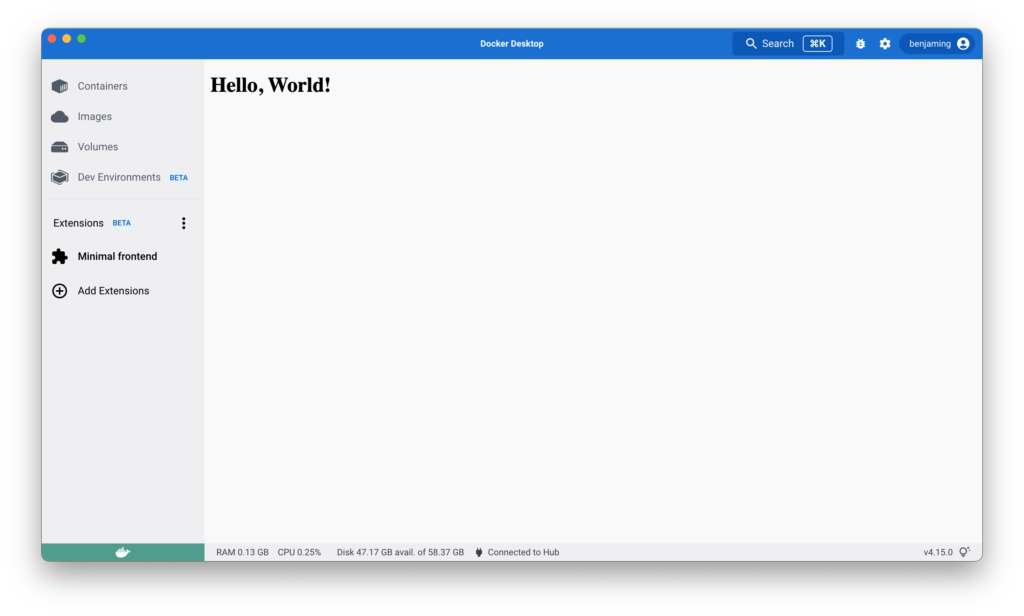
To preview the extension in Docker Desktop, close and open the Docker Desktop Dashboard once the installation is complete.

The left-hand menu displays a new tab with the name of your extension.
## What's next?

- Build a more [advanced frontend](frontend-extension-tutorial.md) extension.
- Learn how to [test and debug](../dev/test-debug.md) your extension.
- Learn how to [setup CI for your extension](../dev/continuous-integration.md).
- Learn more about extensions [architecture](../architecture/_index.md).